It's super easy to receive Bitcoin payments from your EclairBTC Point of Sale directly into your Blockstream Wallet.
Just install the Blockstream App Wallet and then follow these 4 steps:
NOTE: For maximum security, we recommend using the Blockstream Jade hardware wallet with the Blockstream app.
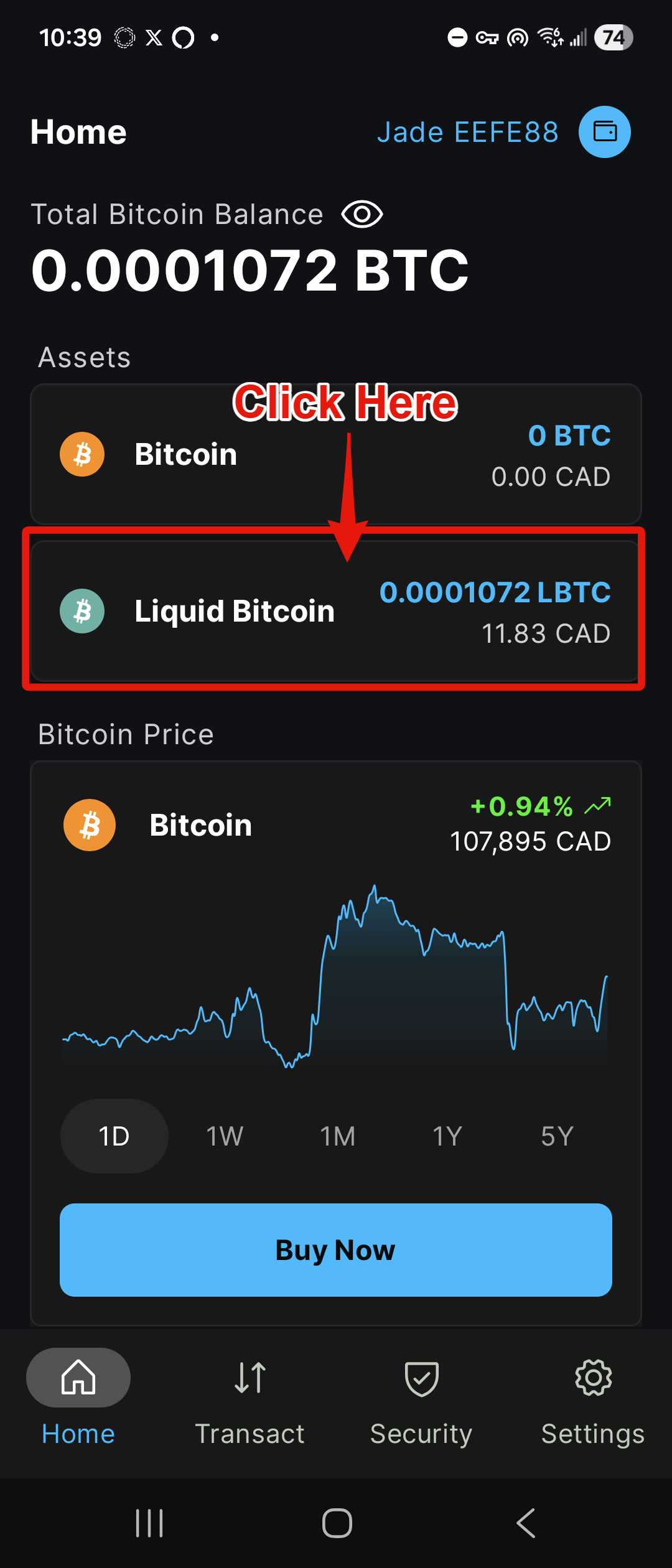
Step 1
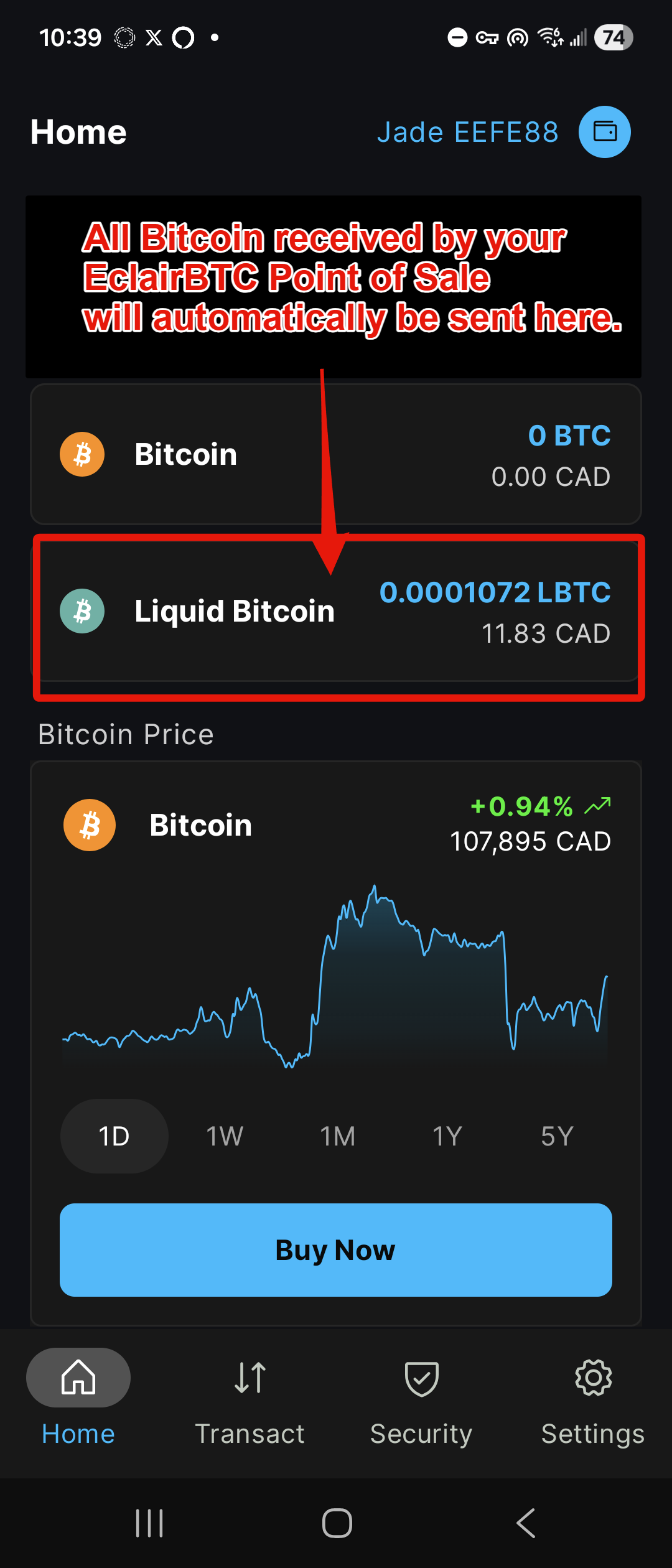
Open your Blockstream App Wallet and click on "Liquid Bitcoin."
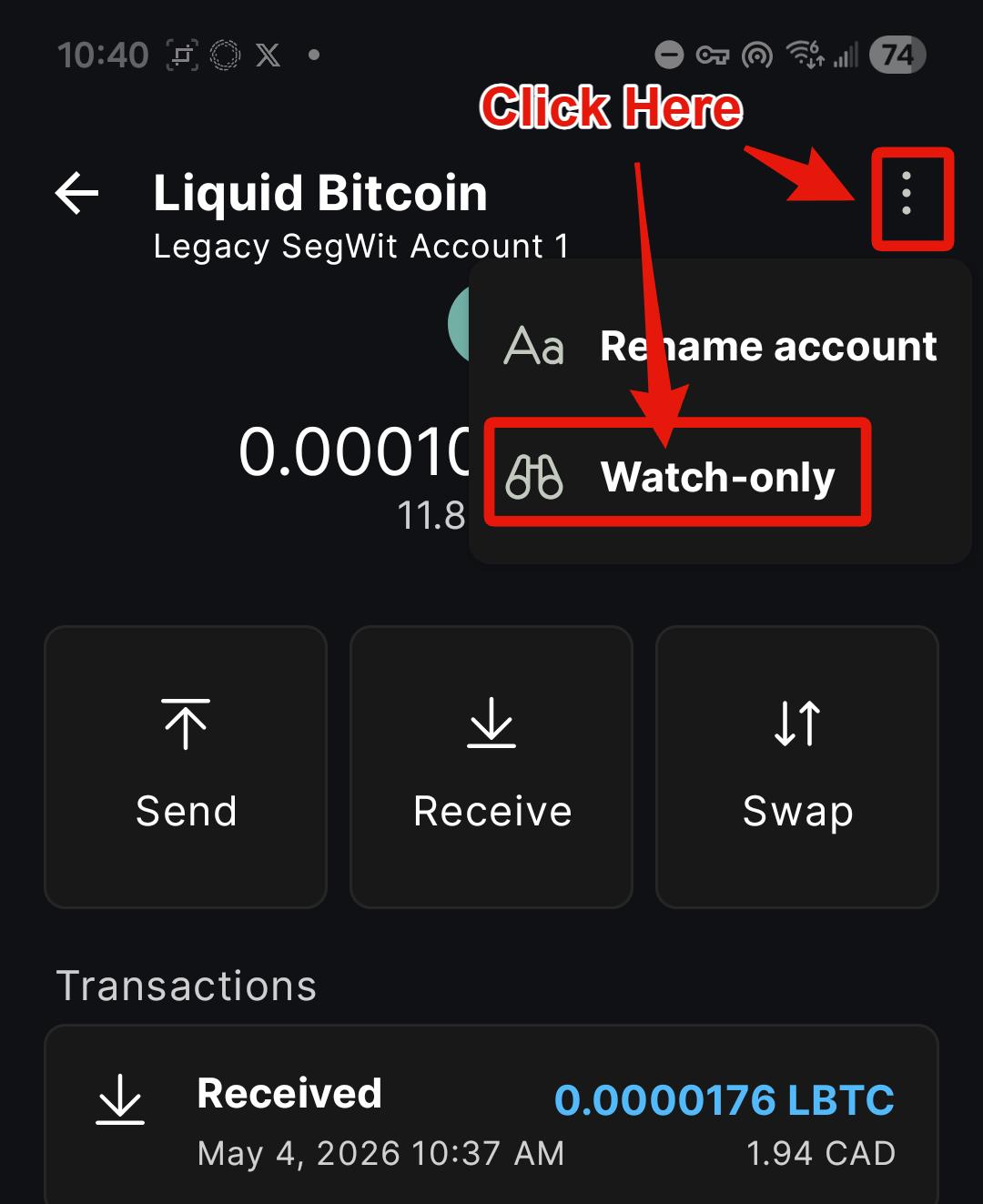
Step 2
Click on the 3 vertical dots and then click on "Watch-only."
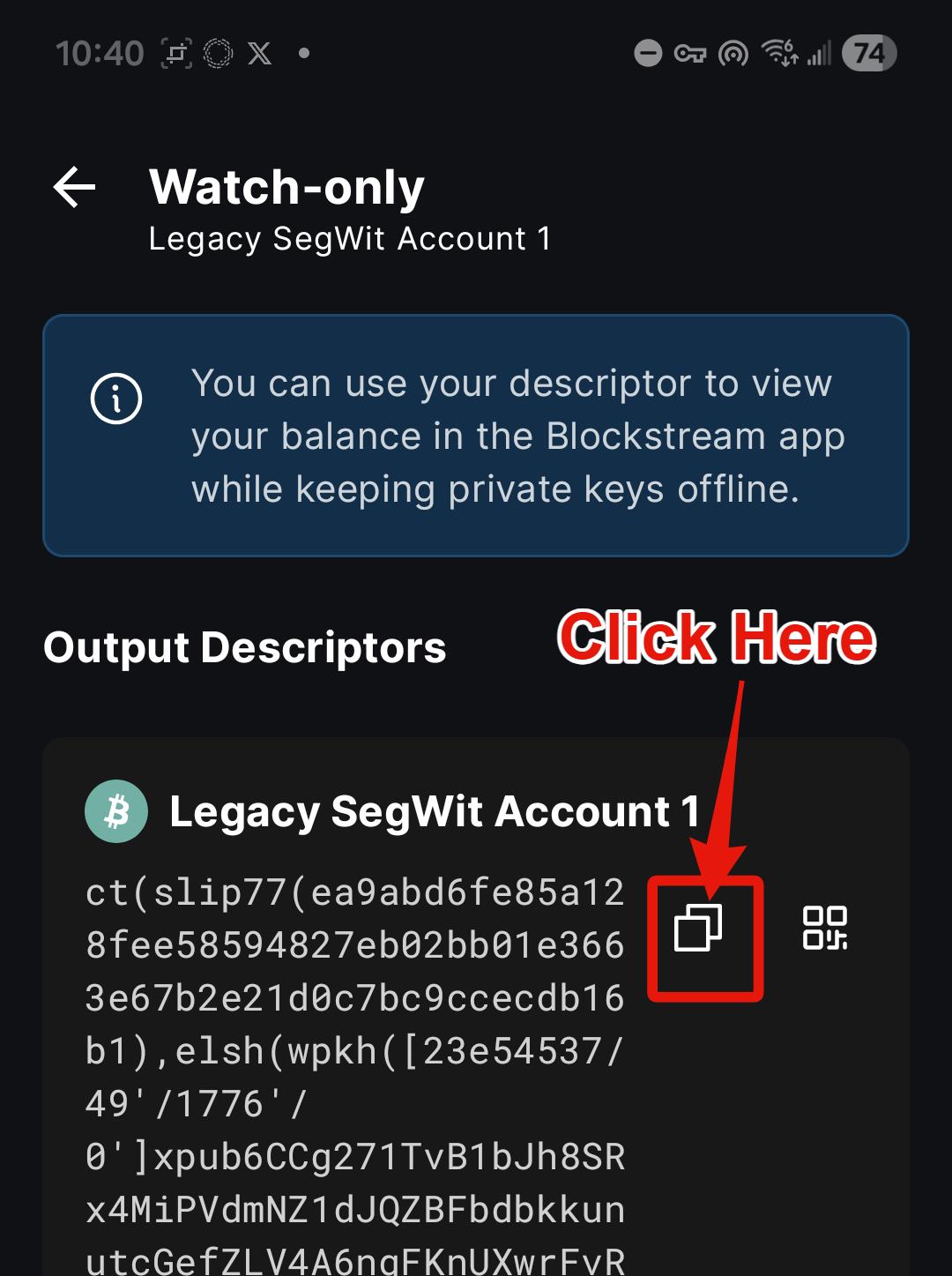
Step 3
Click on on the Copy icon.
This will copy your Liquid Wallet deposit details to your clipboard.
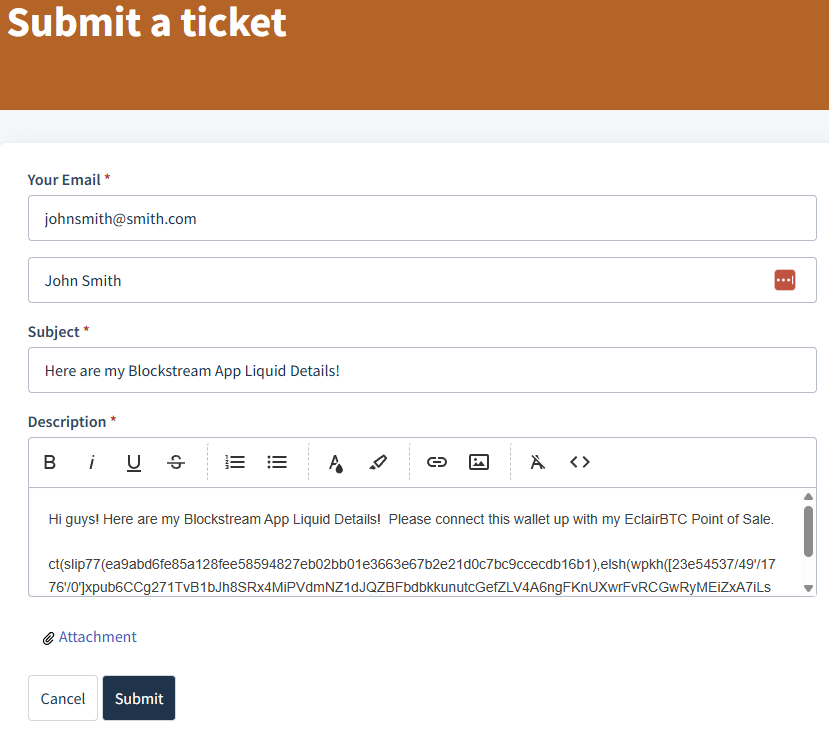
Step 4
Open up a Support Ticket to us and paste your Liquid details from your clipboard into your ticket.
Now we have all the information we need to connect your EclairBTC Point of Sale to your Blockstream App Wallet.
Congratulations! You're done!
We will send you an email once we've connected your Blockstream App Wallet. At that point, all Bitcoin payments to your EclairBTC Point of Sale will go directly into your "Liquid Bitcoin" account" in your Blockstream App Wallet. No middleman and 100% self-custodial.
Was this article helpful?
That’s Great!
Thank you for your feedback
Sorry! We couldn't be helpful
Thank you for your feedback
Feedback sent
We appreciate your effort and will try to fix the article